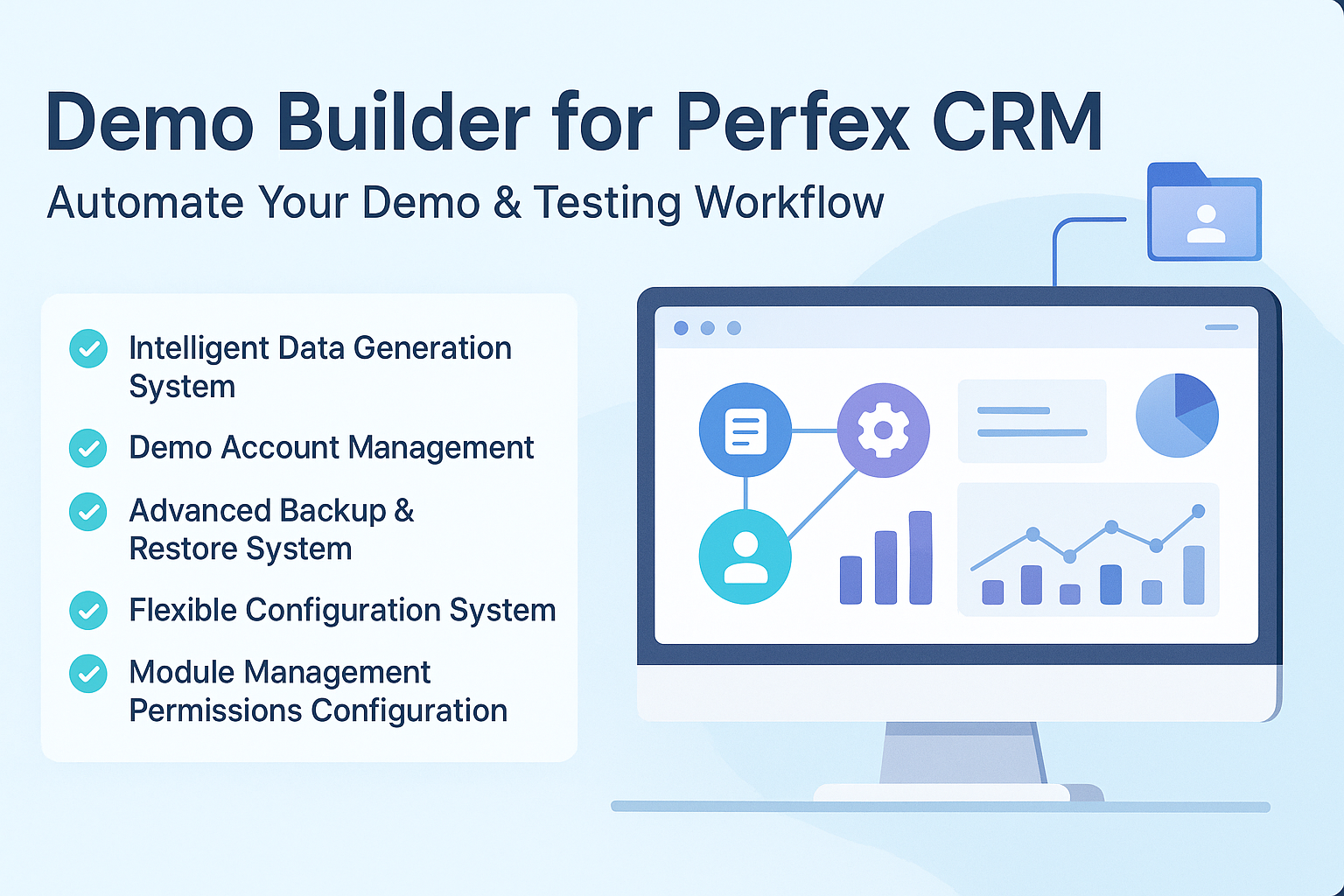
Demo Builder cho Perfex CRM - Bộ Công Cụ Tự Động Tạo Demo Sandbox, Theo Dõi Traffic & Reset Engine

268.90 ms
$59
14 sold 17 views
Mã SKU demo-builder-perfex
4 TOTAL DOWNLOADS
demobuilder v1.3.0 Aug 21, 2026
TODAY 0
7 DAYS 4
30 DAYS 4
Download Activity Trend (14 Days)
Why are some modules, plugins, or products not available for direct purchase on the site?

For products sold outside the site - for example, polyxgo on Envato (CodeCanyon.net) - we are the exclusive authors under Envato’s platform. These products can only be sold and supported on Envato. Therefore, you cannot purchase them elsewhere if you wish to receive our official support and updates.

My Envato support period has expired. Can I still receive assistance?

Even if your support period has ended, we will still answer your current technical questions related to the module. However, for any requests that involve bug fixing, troubleshooting, integration, or hands-on assistance, you will need to renew your support first. We hope you understand this requirement. More details: https://help.market.envato.com/hc/en-us/articles/208191263-What-is-Item-Support

Can I get support if I only need to integrate some features from a module or plugin?

Yes. We handle feature integration based on customer requirements and descriptions. If a module has the features you need, you can send a separate request to polyxgo@gmail.com

How do I download and install the product?

You can download the product through the purchase receipt or your account dashboard right after you log in at https://headrandom.com/account/login. Installation steps are included in the documentation folder.

For products on Envato (Codecanyon) access the Download section after you log in.

Do you provide installation or setup support?

Yes, we provide basic installation and setup support for all purchased products.

Can I use the product on multiple sites?

Usage depends on the license type. Standard licenses typically allow one installation per purchase.

How do I receive updates after purchase?

Updates are delivered through your account dashboard or marketplace where you purchased the product.

What should I do if I encounter an error or conflict?

Please send us details, screenshots, and steps to reproduce the issue so our support team can assist you. You can create tickets on the system or email polyxgo@gmail.com.

How long does technical support last after purchase?

Support duration follows the policy of the marketplace or package you purchased, typically 6–12 months.

Do you provide documentation or a user guide?

Yes, all products include documentation to help you install and use the features. The data is connected to the system for each corresponding product project, and the documentation always provides the latest feature information and instructions from the project.

Can I request customization or additional features?

Yes, we offer custom development based on your requirements. For products sold exclusively and features already available on products listed on Envato, we integrate the additional features and update them through Envato. Only completely different features that require separate handling based on specific business workflows will be processed as a standalone service according to your detailed requirements.

Is there a demo site available for testing?

Yes, we provide a live demo so you can test features before purchasing.

How do I renew support after it expires?

You can renew support through your marketplace account or by contacting us directly.

What We're Working On

No feature updates scheduled currently.

Recent Releases

v1.3.0 (21/08/2026)
NEW
-UI Screenshot Studio & TinyMCE Shortcode Dropdown
-One-Click Auto Login: Automatically fill credentials and log in instantly when clicking any demo account button on the login screen.
-Cross-Portal Login Redirection: Seamless auto-login transition between Admin and Client portal login pages.
-Auto Login Setting: Option in General Settings to easily enable or disable automatic login on account click.
-Screenshot Capture Studio: Built-in image editor to annotate, crop, blur, and highlight screenshots directly from the admin panel.
-Quick Add Screen Widget: Floating button and shortcut key (Ctrl+Shift+S) across all pages for fast screen capturing.
-Screenshot Gallery & Lightbox: Modern responsive gallery with instant thumbnail previews and fullscreen image viewing.
-Screenshot Permission Control: Flexible access permissions for managing screenshot routes and image editing.
-Guideline & Menu Customizer: Easy tools to highlight and customize sidebar menus and feature guides for demo users.
CHANGED
-Database Backup & Restore Reliability: Enhanced cross-platform backup and restore performance on Linux, macOS, and Windows servers.
-Snapshot Backup Maintenance Mode: Automatically prepares clean backups for migration while keeping Maintenance Mode active on the current site.
FIXED
-File & Directory Handling: Smoother cleanup and restoration of temporary backup files without permission or file locking issues.
v1.2.7 (25/04/2026)
NEW
-Detailed Page View tracking for each user session (April 25, 2026)
-Historical Live Chart reporting (Today, 7 Days, 30 Days, Custom) (April 25, 2026)
-Automated raw data cleanup and daily stats aggregation for storage optimization (April 25, 2026)
v1.2.6 (20/04/2026)
NEW
-Live User Tracking: Real-time tracking of active users on demo pages with session-based heartbeat.
-Webhook Sync: Cronjob-based batch webhook sender with HMAC-SHA256 authentication and chunked delivery.
-Implementation of Permission Gate to securely protect critical settings on demo sites.
-Automatic assignment of random Sale Agents (from existing admin staff) when generating demo invoices.
-Auto Data Generation (Cron) in Settings > Data with flexible presets and random ranges (records/run + interval minutes) to keep demo sites always fresh with newly generated customers, invoices, payments, projects, and other business data.
-Custom Login Background manager (gallery upload, per-image active state, fixed/random/sequence display mode, fade transitions, and login page effects: None, TextCloud, FlowText).
-Custom Login Info Content block on login page with HTML support, bottom-left/bottom-right placement, macro placeholders ({CURYEAR}, {BRAND}), and live preview for opacity/blur + content positioning.
-Feature to quickly clone Quick Links between sections (Demo Account, Documentation, Maintenance) to speed up configuration.
-Quick Module Manager floating panel: search, filter (All/Active/Inactive), and toggle activate/deactivate modules in real-time without leaving the current page, with resizable panel width persisted via localStorage.
-Granular permission helpers: can_modify_license(), can_modify_production_safe_mode(), can_manage_modules_panel() with Super Admin bypass and admin_full_access_users validation.
-Backend AJAX endpoints get_all_modules and toggle_module_status for the Quick Module Manager panel with per-action permission checks.
CHANGED
-Restricted secondary admins from modifying core demo settings, while retaining full access for Admin #1.
-Enhanced UI/UX with clear notifications and read-only fields for restricted settings.
-Optimized permission handling and integration with other modules (e.g., Data Builder).
-Updated module descriptions and documentation.
-Prevented demo panels from closing unexpectedly when clicking the backdrop overlay (now strictly requires toggle or close button click).
FIXED
-Resolved TinyMCE editor initialization conflict (serialize/innerWidth errors) with Vue.js reactivity in settings page.
-Fixed Auto Restore scheduled task to correctly bypass execution when the application is actively in Maintenance Mode.
-Fixed nav-tabs active tab flickering on hover in Settings page caused by Bootstrap border conflict.
OTHER
-Support for resizable sliding panels (Demo Account Info & Documentation) with maximum width constraint of 50% screen width and automatic config persistence.
v1.2.5 (25/03/2026)
NEW
-Creating Reports & Report Groups on Data Builder for Perfex (e.g., "Expired Contracts", "Billable vs Non-Billable Expenses", "Subscription Status Distribution"). (March 25, 2026)
-Providing comprehensive test data for GraphQL & API for Perfex on Data Builder, enabling accurate API Docs queries across all entity statuses and relationships. (March 25, 2026)
-Task Followers Generator: Independent generation of task followers with duplicate prevention. (March 25, 2026)
-Task Comments Generator: Generate realistic task comments with randomized staff authors. (March 25, 2026)
-Task Timers Generator: Generate task timesheets with decimal hourly rates. (March 25, 2026)
-Task Checklist Items Generator: Create checklist items with random completion states. (March 25, 2026)
-Checklist Templates Generator: Generate standalone checklist templates. (March 25, 2026)
-5 New UI Cards: Each new entity has its own Generate/Truncate card in the UI. (March 25, 2026)
-Milestone Auto-Creation: When generating tasks linked to projects, milestones are auto-created (3-5 per project) if none exist. (March 25, 2026)
-Auto-creation of 5 Contract Types (General, Service Agreement, NDA, Maintenance, Consulting) when none exist. (March 25, 2026)
-Auto-creation of 6 Expense Categories (General, Travel, Office Supplies, Software, Marketing, Professional Services) when none exist. (March 25, 2026)
CHANGED
-Enhanced Item Generation: Item names now have a minimum length of 6 words for increased realism. (February 26, 2026)
-Naming Conventions: Implemented Title Case formatting (e.g., "Category Name") for Item names and Item Group names. (February 26, 2026)
-Clean Data Logic: Automatically strips HTML tags from Item descriptions and long descriptions for better editor compatibility. (February 26, 2026)
-Unified Sales Logic: Invoices, Estimates, and Credit Notes now use a 50/50 mix of existing database items and freshly generated items. (February 26, 2026)
-Enhanced Bulk Generation: "Generate All" now provides individual result logging for each entity type for better visibility. (February 26, 2026)
-Financial Data Formatting: All prices, rates, and amounts are now generated as whole numbers to prevent fractional discrepancies. (February 28, 2026)
-Tasks: Diverse Related To types (Project, Invoice, Customer, Estimate, Contract, Ticket, Expense, Lead, Proposal). (March 25, 2026)
-Tasks: Rich description content from 15 templates, 70% tasks have 1-3 tags from 23 categories. (March 25, 2026)
-Tasks: Decimal hourly rates (e.g., 21.45, 75.50), random Public (~50%), Billable (~40%), Visible to Customer (~35%). (March 25, 2026)
-Tasks: Milestone assignment for project-linked tasks (70% assigned when milestones exist). (March 25, 2026)
-Contracts: Diverse status distribution — Active (50%), Expired (20%), About to Expire (15%), Draft (10%), Trash (5%). (March 25, 2026)
-Contracts: Rich description templates, random not_visible_to_client (~20%), realistic contract values. (March 25, 2026)
-Subscriptions: All 8 Stripe statuses — Active, Not Subscribed, Past Due, Future, Canceled, Unpaid, Incomplete, Incomplete Expired. (March 25, 2026)
-Subscriptions: Proper date_subscribed, ends_at, next_billing_cycle fields per status, 14 subscription name templates. (March 25, 2026)
-Expenses: Billable (55%) / Non-Billable (45%) distribution with Billed status via invoice linkage (~35% of billable). (March 25, 2026)
-Expenses: 15 expense name templates, payment mode assignment, reference numbers, 15% recurring expenses. (March 25, 2026)
-All generators: Enhanced with Demo Builder signature for data traceability. (March 25, 2026)
FIXED
-Corrected Tax Assignment: Items now correctly store Tax IDs instead of name|rate strings. (February 26, 2026)
-Tax Auto-Generation: If no taxes are found in the system, default tax rates (VAT 5%, 10%, etc.) are automatically created during item generation. (February 26, 2026)
-Plain Text Signatures: Switched to plain text "Your Company Name or Brand Name" signatures for sales items to prevent HTML rendering issues. (February 26, 2026)
-Estimate Request Truncation: Fixed naming mismatch and dependency logic to ensure "Truncate All" correctly removes Estimate Requests. (February 26, 2026)
-Customers & Todos Fix: Resolved issues where Customer counts wouldn't update and Todos were missing from "Generate All" due to table naming mismatches. (February 26, 2026)
-Generation Stability: Fixed Credit Notes generation by adding fallbacks for unpaid invoices and resolved "Generate All" crashes for Todos by cleaning up option parameters. (February 26, 2026)
v1.2.3 — v1.2.3 - Generator Fault Tolerance & Dependency Fallbacks (24/02/2026)
Added auto-generation fallbacks for missing dependencies, improved error handling in DataGenerator, and fixed MySQL column insertion errors.

Looking for full roadmap, documentation, or interactive release logs?

Explore Our Project Portal

Non-profit organizations, charities, and community initiatives supporting elderly people, children, people with disabilities, and other vulnerable groups are always welcome to reach out to us.

If your organization uses Perfex CRM and requires any of our modules, plugins, or related products, we will gladly provide assistance with installation, customization, training, and long-term operation.

As part of our commitment to supporting meaningful social impact projects, we offer lifetime free support for all products used by eligible non-profit organizations. Our goal is to help you streamline operations, reduce technology costs, and focus more resources on serving your community.

For inquiries and support, please contact us at polyxgo@gmail.com. We will do our best to assist your organization as quickly as possible.

Average Rating

0.0

Based on 0 ratings

Ratings Source Breakdown

Local Website 0.0 ★ (0 reviews)
Merged Total 0.0 ★ (0 ratings)

Loading reviews...

Sign in to your account

Please log in to leave a comment or review.

Or continue with social account