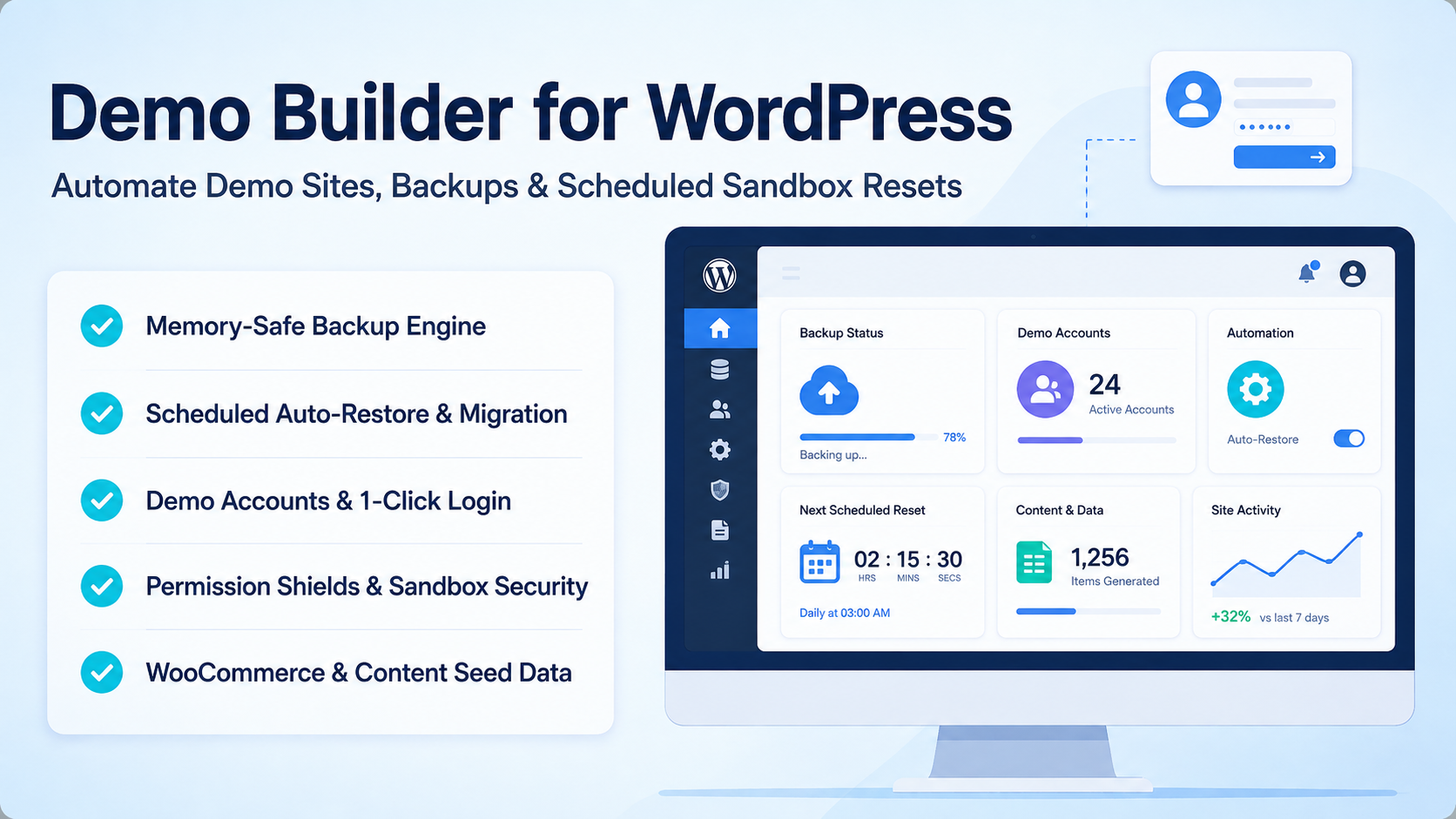
Demo Builder for WordPress - Automated Demo Sandbox & Reset Engine
302.17 msDemo Builder for WordPress is an automated demo site management and scheduled sandbox reset engine built for WordPress plugin developers, theme creators, and agency showcases. It combines memory-safe database and file backup streaming, automated cron-driven sandbox restoration, role-based permission shields, demo account quick-launch helpers, and seed data generators into a unified administration control panel.
Automated Memory-Safe Backup Engine
Streamline database exports and source file packaging with zero server memory overload:
- Chunked SQL Export: Stream large WordPress database tables into chunked SQL files to prevent PHP memory exhaustion on high-volume stores.
- Granular File Archive Packaging: Create customizable ZIP backups with automated inclusion and exclusion rules for uploads, themes, or plugins.
- Resumable Download Streaming: Provide chunked, resumable backup file downloads with HTTP range request support.
Scheduled Auto-Restore & Migration Engine
Maintain pristine demo environments by automatically resetting demo sites back to clean production snapshots:
- Cron-Driven Reset Schedules: Configure automated site restore intervals including 5 minutes, 30 minutes, hourly, daily, or weekly cycles via WP-Cron.
- Automatic Search & Replace Migration: Automatically rewrite database table prefixes, domain URLs, and option paths during the restore process.
- Immediate Manual Reset Trigger: Execute instant 1-click manual environment resets directly from the WordPress administration top bar.
Demo Account Manager & 1-Click Login
Accelerate prospect evaluation with instant single-click demo account access:
- Pre-Configured Role Mapping: Generate admin, editor, shop manager, and customer demo accounts with customizable display credentials.
- Login Helper Overlay: Embed interactive 1-click auto-login buttons directly on the WordPress login screen (
wp-login.php).
Permission Restrictions & Sandbox Shield
Protect critical system infrastructure against malicious demo user actions:
- Protected Admin Restrictions: Block destructive actions including theme/plugin deletion, file editing, core updates, and password changes.
- Operation Nonce & Capability Controls: Enforce strict capability checks to shield backup archives and system settings from unauthorized visitors.
WooCommerce & WordPress Seed Data Generator
Populate fresh demo installations with realistic e-commerce and editorial content:
- WooCommerce Dummy Store Data: Seed customizable WooCommerce products, SKU prefixes, attribute terms, customer profiles, and randomized order histories.
- Editorial Content Generator: Populate posts, categories, tags, and media attachments to simulate populated publication platforms.
Floating Countdown Timer & Maintenance Mode
Keep prospective clients informed during active demo sessions:
- Multi-Position Floating Timer: Display customizable countdown bars showing remaining time until the next scheduled environment reset.
- Integrated Maintenance Toggle: Enable custom maintenance mode pages with branded logos, custom notification text, and preview controls.
Plugin Architecture & System Workflows
Demo Builder for WordPress is architected around three high-performance execution pipelines: memory-safe chunked backup and cloud synchronization, cron-scheduled sandbox auto-restoration, and permission-gated sandbox security shields.
1. Memory-Safe Streaming Backup & Cloud Sync Workflow
2. WP-Cron Scheduled Auto-Restore & Reset Workflow
3. Permission Shield & Sandbox Security Workflow
What We're Working On
Allow demo site visitors to instantly toggle active plugins and theme layouts from a floating bar.
Recent Releases
Cloud Extensions & Maintenance Mode
- Added cloud storage backup upload sync for OneDrive and Google Drive
- Integrated branded maintenance mode toggle with customizable background and logo
- Improved large file restore using stream copy to prevent PHP timeouts
Security & Alerting
- Role-based permission shield restricting theme/plugin deletion and file editing
- Telegram notification integration for backup, restore, and cleanup events
- Developer tab override toggles for local webhook testing
Generator & Restore Upgrades
- WooCommerce seed generator for products, brands, attributes, and random orders
- Chunked SQL import engine reading from file streams
- Automatic database prefix rename and domain URL search-replace during restore
Scheduled Reset & Timer
- WP-Cron auto-restore engine supporting 5m, 30m, hourly, and weekly cycles
- Multi-position floating countdown timer widget with custom color controls
- Instant 1-click manual reset trigger on WordPress admin bar
Core Modules Launch
- Chunked SQL database backup and file ZIP packaging engine
- Resumable backup file download streaming with HTTP range support
- Demo account generator with 1-click auto-login helper overlay on wp-login.php
Looking for full roadmap, documentation, or interactive release logs?
Explore Our Project PortalFor products sold outside the site - for example, polyxgo on Envato (CodeCanyon.net) - we are the exclusive authors under Envato’s platform. These products can only be sold and supported on Envato. Therefore, you cannot purchase them elsewhere if you wish to receive our official support and updates.
Even if your support period has ended, we will still answer your current technical questions related to the module. However, for any requests that involve bug fixing, troubleshooting, integration, or hands-on assistance, you will need to renew your support first. We hope you understand this requirement. More details: https://help.market.envato.com/hc/en-us/articles/208191263-What-is-Item-Support
Yes. We handle feature integration based on customer requirements and descriptions. If a module has the features you need, you can send a separate request to polyxgo@gmail.com
You can download the product through the purchase receipt or your account dashboard right after you log in at https://headrandom.com/account/login. Installation steps are included in the documentation folder.
For products on Envato (Codecanyon) access the Download section after you log in.
Yes, we provide basic installation and setup support for all purchased products.
Usage depends on the license type. Standard licenses typically allow one installation per purchase.
Updates are delivered through your account dashboard or marketplace where you purchased the product.
Please send us details, screenshots, and steps to reproduce the issue so our support team can assist you. You can create tickets on the system or email polyxgo@gmail.com.
Support duration follows the policy of the marketplace or package you purchased, typically 6–12 months.
Yes, all products include documentation to help you install and use the features. The data is connected to the system for each corresponding product project, and the documentation always provides the latest feature information and instructions from the project.
Yes, we offer custom development based on your requirements. For products sold exclusively and features already available on products listed on Envato, we integrate the additional features and update them through Envato. Only completely different features that require separate handling based on specific business workflows will be processed as a standalone service according to your detailed requirements.
Yes, we provide a live demo so you can test features before purchasing.
You can renew support through your marketplace account or by contacting us directly.
Non-profit organizations, charities, and community initiatives supporting elderly people, children, people with disabilities, and other vulnerable groups are always welcome to reach out to us.
If your organization uses Perfex CRM and requires any of our modules, plugins, or related products, we will gladly provide assistance with installation, customization, training, and long-term operation.
As part of our commitment to supporting meaningful social impact projects, we offer lifetime free support for all products used by eligible non-profit organizations. Our goal is to help you streamline operations, reduce technology costs, and focus more resources on serving your community.
For inquiries and support, please contact us at polyxgo@gmail.com. We will do our best to assist your organization as quickly as possible.