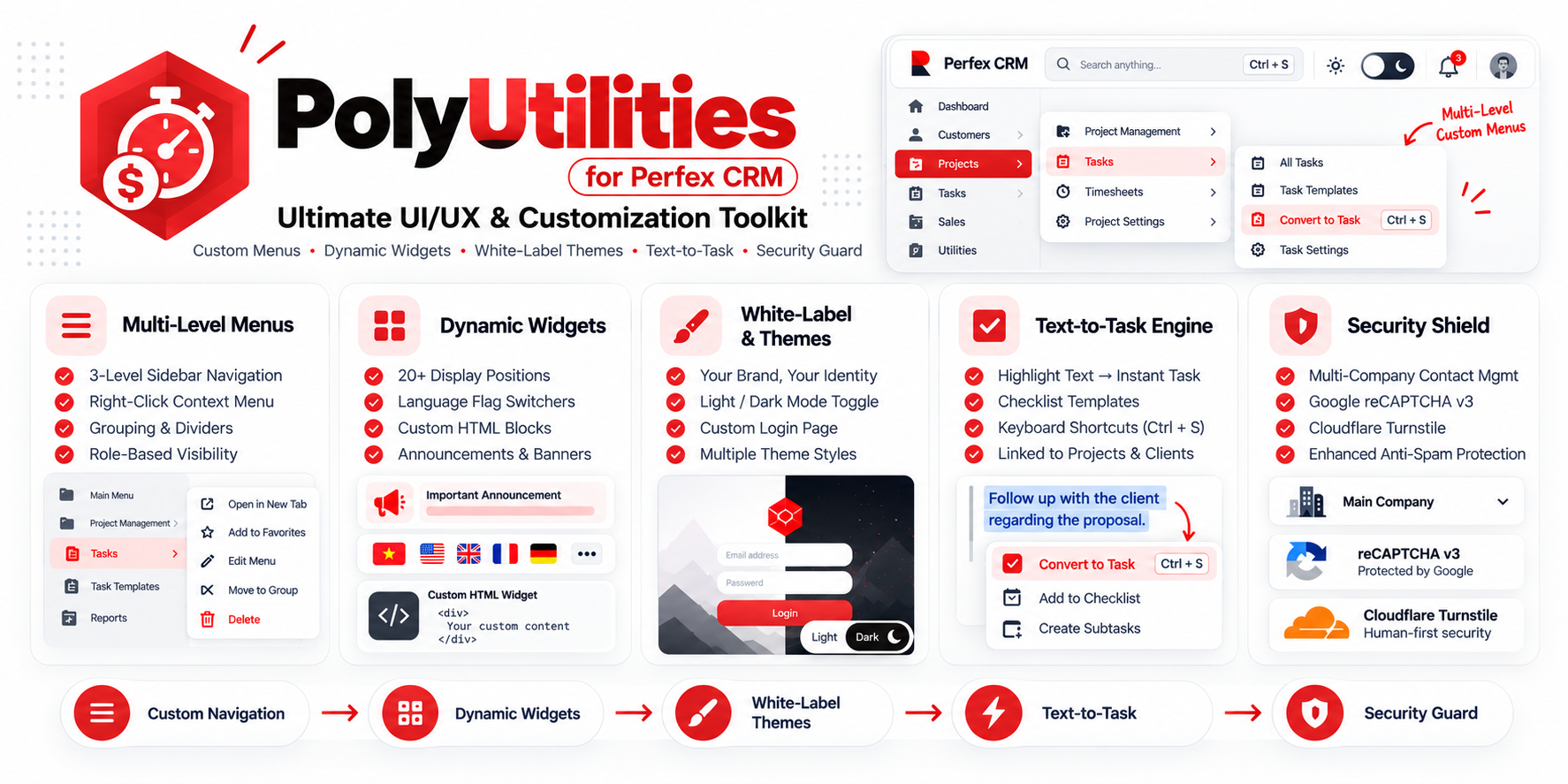
PolyUtilities for Perfex CRM - Ultimate UI/UX & Customization Toolkit
317.46 msPolyUtilities is the solution for extending customization and enhancing the user experience in Perfex CRM, giving administrators and developers deeper control over the interface, features, and workflows.
Overview
PolyUtilities focuses onflexibility, extensibility, and integration, allowing you to turn Perfex CRM into a platform that fits your business needs without modifying the core code.
From custom menus, JS/CSS management, widgets, and banners to quick admin tools – everything is integrated into one unified module.
Key Features
Custom Menu & Quick Access
Create, group, and manage Sidebar, Setup, and Clients menus.
Assign visibility by Role and User.
Support for multi-level menus (2–3 levels).
Add icons, background colors, and custom CSS for each menu item.
Includes Quick Access MenuandSearch Menu for fast navigation.
Custom Context Menu (Right-click) enables quick access to system components like invoices, customers, and projects.
Custom JS & CSS
Add and manage custom JavaScript and CSS directly in the admin interface.
Activate separately for Admin, Client, or both.
IntegratedCodeMirror Editorfor easier and cleaner code formatting.
Use for analytics, chatbot integration, widgets, tracking codes, or custom UI design.
Widgets System
Add custom display elements (Text, HTML, Image, Language Switcher, etc.) to supported widget areas.
Over 20 available hook positions such as sidebar, header, dashboard, footer, and login forms.
Extend display positions with developer-defined hooks.
Works like WordPress Widgets – easy to use, flexible, and no coding required.
Banners & Announcement Sliders
Manage banners and announcements across the system.
Support video iframes, HTML content, scheduling, and visual effects (fade, slide, zoom, rotate, etc.).
Display banners and announcements in both admin and client areas, as well as article pages.
All-in-One Support
Provide customer contact buttons for Email, Messenger, WhatsApp, Viber, and more.
Customize support messages and links.
Future update: Display assigned staff contact per project.
Extended Project & Data Tools
Manage project prefixes (APP-, CRM-, MOD-, etc.).
Quickly create Estimates, Proposals, and Contracts directly from the Project page.
Save custom column layouts per user for data tables (Customers, Invoices, Projects, etc.).
Support for personalized data filters and saved display layouts.
Other Utilities
Add breadcrumb navigation across core modules (Projects, Contracts, Invoices, etc.).
Support Ctrl+S shortcut when editing long content.
Confirmation dialog before deleting notes.
Fixed topbar and scroll-to-top button.
Copy customer emails or phone numbers directly from tables.
Auto-generateTable of Contentsin articles or contracts.
Appearance & Login Page
Customize background, logo, and effects (rain, snow, matrix, etc.) for each login page (Admin/Staff/Client).
Add any custom JavaScript or CSS effects for a unique look.
Download & Backup Module
Export, backup, and share modules directly from the Perfex CRM admin panel.
Simplify module distribution and system maintenance.
Configuration & Permissions
Define which accounts have access to PolyUtilities.
Toggle individual features: Sticky Menu, Quick Access, Search Menu, Custom JS/CSS, Confirm Delete, Scroll Top, etc.
Import/Export menu listsfor Sidebar, Setup, and Client areas to easily back up or migrate settings.
PolyUtilities - The All-in-One Customization Toolkit
A complete solution to extend, optimize, and personalize your Perfex CRM -powerful, flexible, and built for efficiency.
Documentation & Resources
Explore detailed tutorials, setup guides, and reference articles for PolyUtilities for Perfex CRM - Ultimate UI/UX & Customization Toolkit.
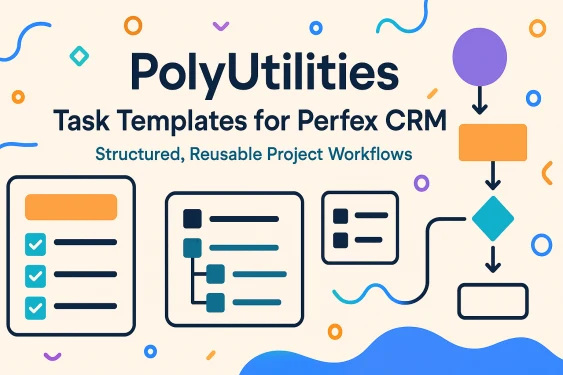
Task Templates with Checklist Items and Categories in Perfex CRM
Reusable workflows streamline setup and reduce repeated task creation across projects. Category-based organization and n...
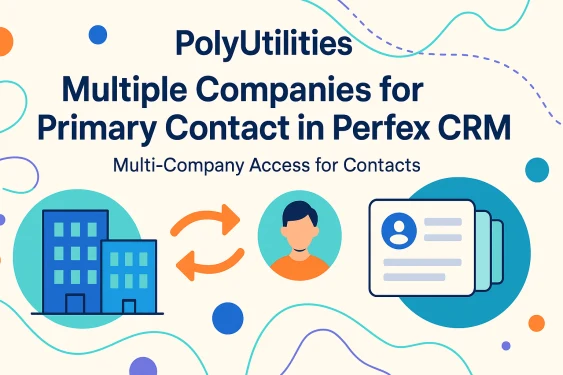
Multiple Companies for One Contact in Perfex CRM
Perfex CRM has a major limitation: one contact can only belong to one company, forcing businesses to create duplicate ac...
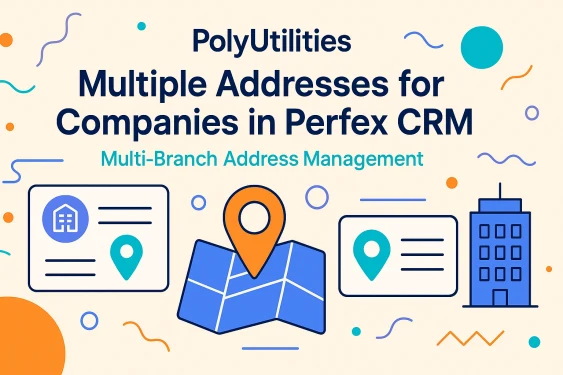
Multiple Addresses for Companies - Solving the Single-Address Limitation in Perfex CRM
Perfex CRM only allows one address per company, which quickly becomes a problem for businesses operating multiple branch...
How to Create Favorite Quick Links in Perfex CRM
When managing daily workflows in Perfex CRM, quick access to frequently used sections can significantly improve producti...
How to Create Banners and Announcement Sliders in Perfex CRM
Learn how to create, customize, and display multi-position banner sliders and announcement widgets across your Perfex CR...
How Do I Customize My Perfex CRM Interface and Features?
PerfexCRM is a robust and flexible customer relationship management (CRM) system, specifically designed for small and me...
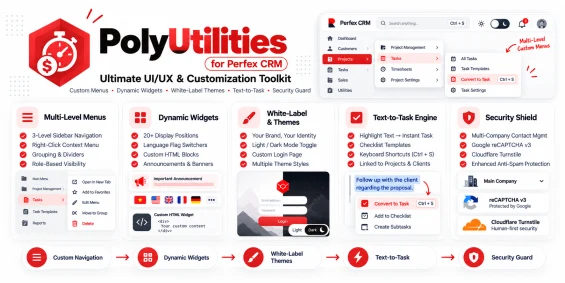
Customizing Menus for Perfex CRM
Are you looking to organize multi-level menus, arrange, or add new custom menus for PerfexCRM? The PolyUtilities module...
Context Menu for Perfex CRM: Quick and Efficient Navigation Tool
Right-click menus, also known as context menus, are powerful tools that make it easier for administrators and staff to q...
Optimize Custom Content and Widget Display in Perfex CRM with PolyUtilities
Widgets feature in PolyUtilities module of PerfexCRM enables users to easily customize and manage content such as notifi...
Guide to Install and Use PolyUtilities for Perfex CRM
Thank you for choosing PolyUtilities module for Perfex CRM. If you have any questions that are beyond the scope of this...
Custom Login Page Designer for Perfex CRM with PolyUtilities
PolyUtilities is a module developed to provide customization features for PerfexCRM. One of the most common needs busine...
Custom Language Selector with Flag Icons for Perfex CRM
Widgets Language feature in PolyUtilities module allows you to customize display of language options on PerfexCRM system...
What We're Working On
No feature updates scheduled currently.
Recent Releases
Looking for full roadmap, documentation, or interactive release logs?
Explore Our Project PortalFor products sold outside the site - for example, polyxgo on Envato (CodeCanyon.net) - we are the exclusive authors under Envato’s platform. These products can only be sold and supported on Envato. Therefore, you cannot purchase them elsewhere if you wish to receive our official support and updates.
Even if your support period has ended, we will still answer your current technical questions related to the module. However, for any requests that involve bug fixing, troubleshooting, integration, or hands-on assistance, you will need to renew your support first. We hope you understand this requirement. More details: https://help.market.envato.com/hc/en-us/articles/208191263-What-is-Item-Support
Yes. We handle feature integration based on customer requirements and descriptions. If a module has the features you need, you can send a separate request to polyxgo@gmail.com
You can download the product through the purchase receipt or your account dashboard right after you log in at https://headrandom.com/account/login. Installation steps are included in the documentation folder.
For products on Envato (Codecanyon) access the Download section after you log in.
Yes, we provide basic installation and setup support for all purchased products.
Usage depends on the license type. Standard licenses typically allow one installation per purchase.
Updates are delivered through your account dashboard or marketplace where you purchased the product.
Please send us details, screenshots, and steps to reproduce the issue so our support team can assist you. You can create tickets on the system or email polyxgo@gmail.com.
Support duration follows the policy of the marketplace or package you purchased, typically 6–12 months.
Yes, all products include documentation to help you install and use the features. The data is connected to the system for each corresponding product project, and the documentation always provides the latest feature information and instructions from the project.
Yes, we offer custom development based on your requirements. For products sold exclusively and features already available on products listed on Envato, we integrate the additional features and update them through Envato. Only completely different features that require separate handling based on specific business workflows will be processed as a standalone service according to your detailed requirements.
Yes, we provide a live demo so you can test features before purchasing.
You can renew support through your marketplace account or by contacting us directly.
Non-profit organizations, charities, and community initiatives supporting elderly people, children, people with disabilities, and other vulnerable groups are always welcome to reach out to us.
If your organization uses Perfex CRM and requires any of our modules, plugins, or related products, we will gladly provide assistance with installation, customization, training, and long-term operation.
As part of our commitment to supporting meaningful social impact projects, we offer lifetime free support for all products used by eligible non-profit organizations. Our goal is to help you streamline operations, reduce technology costs, and focus more resources on serving your community.
For inquiries and support, please contact us at polyxgo@gmail.com. We will do our best to assist your organization as quickly as possible.
Ratings Source Breakdown
Loading reviews...